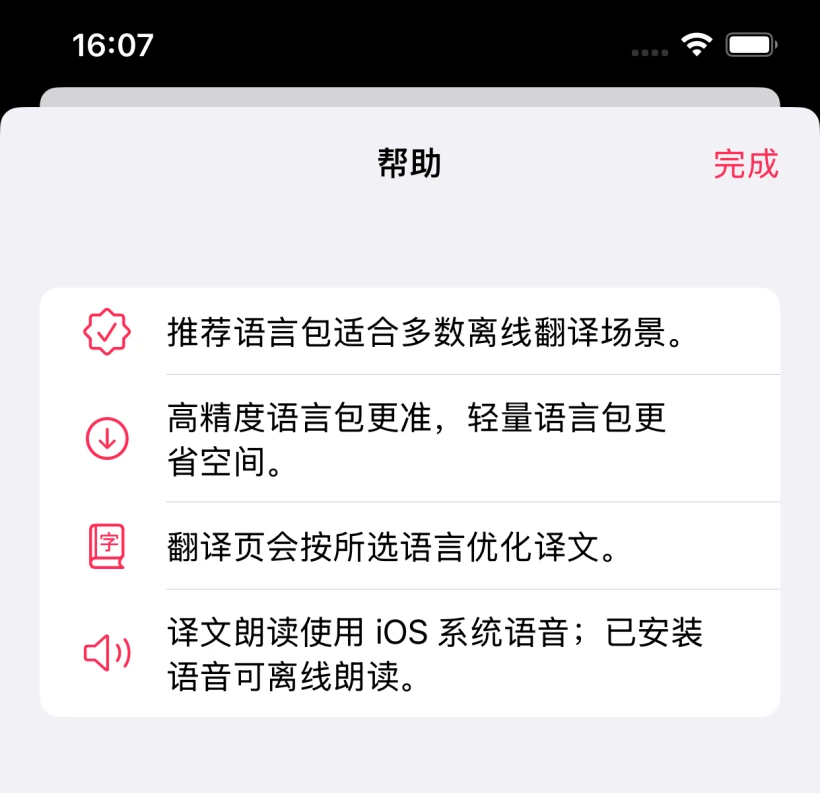
Language Packs
Download at least one language pack before first use. Use Wi-Fi and keep Sayee in the foreground until the download finishes.
View language pack help Sayee
Technical Support
Sayee
Technical Support
Support Center
Sayee is an offline AI translation and interpreting app for iPhone and iPad. This page covers language packs, speech recognition, spoken playback, privacy, and support.
Download at least one language pack before first use. Use Wi-Fi and keep Sayee in the foreground until the download finishes.
View language pack helpRecording requires microphone and speech recognition permissions. Background noise, accents, and system language support can affect recognition.
Troubleshoot voice inputCore translation runs on your device. In high-stakes situations, always verify translations with a person.
Read privacy noticeLanguage Packs
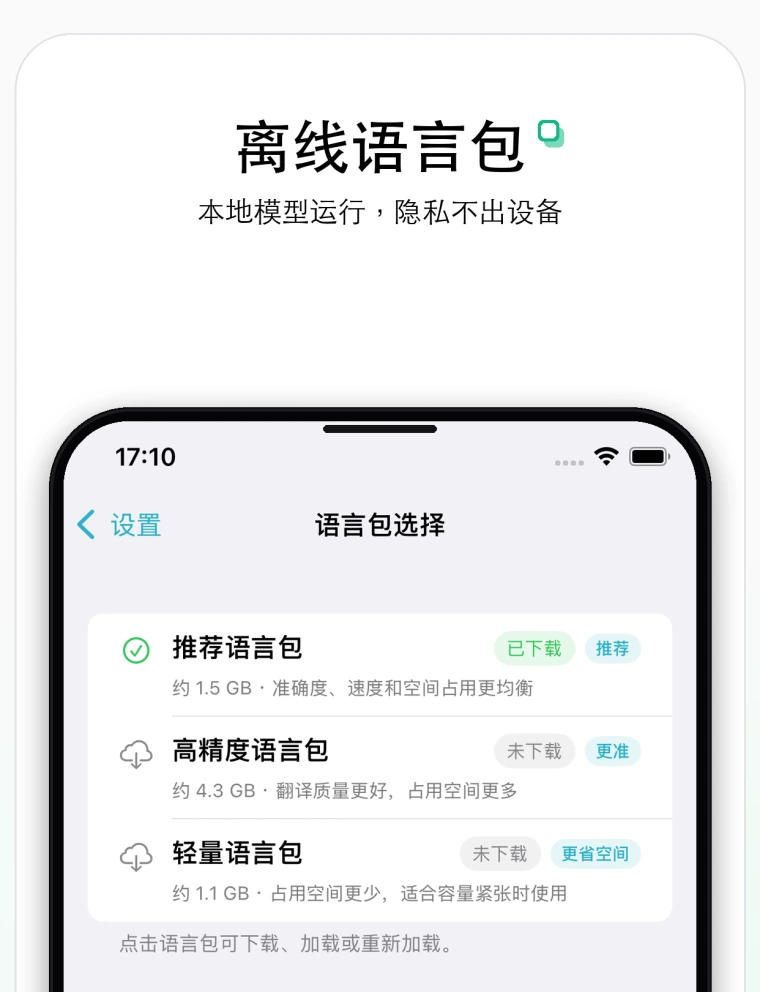
Sayee uses local AI language packs for translation. Recommended packs work well for most offline translation needs. High-accuracy packs may improve quality but use more storage, while lightweight packs are better for devices with limited space.
FAQ
Sayee's core translation features depend on local AI language packs. After a pack is downloaded to your device, you can continue using text translation and face-to-face conversation translation even when the network is unavailable.
Translation model inference runs on your device. Spoken playback uses iOS system voices. Speech recognition uses Apple Speech, and whether it is fully offline depends on your device, system version, selected language, and installed system capabilities.
Check iOS Settings and make sure Sayee has microphone and speech recognition permissions. Keep the device close to the speaker, reduce background noise, and confirm that the selected language supports system speech recognition.
AI translation may misunderstand context, proper nouns, numbers, or casual speech. For medical, legal, financial, border control, visa, traffic safety, or other important situations, ask a qualified human translator or local staff for help.
High-accuracy packs are larger and require more memory and device performance. On older devices or devices with limited available memory, use the recommended or lightweight packs.
Privacy
Sayee does not use advertising SDKs, analytics SDKs, or cross-app or cross-website tracking. Source text, translations, speech recognition results, and conversation history are not uploaded to our servers. Language pack downloads, system speech recognition, and system voice playback may depend on device and network conditions.
Contact
When reporting an issue, include your device model, iOS version, Sayee version, selected language pack, and steps to reproduce. Do not send sensitive source text, ID numbers, medical records, or passwords.